1
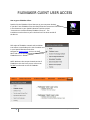
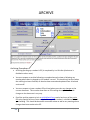
FILEMAKER CLIENT USER ACCESS How to get to FileMaker Client ‐ Double click the FileMaker Client Shortcut on your computer desktop. If you don’t have FileMaker Client installed, follow the instructions located in the document in your Special Education Flash Drive titled “Instructions to Install and Setup FileMaker Client 14”. The installation must be done at your school and can’t be done outside of the district. PDF copies of FileMaker manuals and installation instructions are available on the Unit 5 website and in your Special Education flash drive. Navigate to www.unit5.org, click on the Staff Menu and click on Special Education. Now click on FileMaker access. NOTE‐Web users also access the web version of FileMaker at this site but if you are a client user DO NOT use the web version of FileMaker. 3 Updated 8/10/2015