1
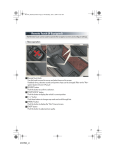
■ Screen scroll operation
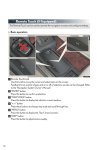
To scroll over the map, place the pointer in a
position near the desired destination and
then press and hold the Remote Touch
knob.
1 Indicates the street name, city name,
etc. for the selected point
2 Displays various information for the
selected point
3 Indicates the distance from the current
position to the pointer
4 Switches the screens
5 Zooms in on the map
6 Zooms out on the map
■ Setting a route
While route guidance is operating, you can change the route using the following method.
Select “Route”.
The following settings can be accessed
1 Detour setting
2 Route preferences
3 Route overview
4 Pause and resume route guidance
Some functions are unavailable while the vehicle is in motion. Refer to the “Navigation System Owner’s Manual”.
50
ES350_QG_OM33A11U_(U)