1
(162,1)
LNG0003X
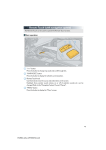
4. Touch the preferred information feed. An
information feed screen is displayed.
LNG0126X
1
*
2
*
INFO:
.
.
Touch [Stop] while communicating with the
NISSAN CARWINGS Data Center to cancel the communication.
A message is displayed when the communication is disconnected while downloading
information due to poor communication
status. Touch [Yes] to restart the download.
HOW TO VIEW INFORMATION
SCREEN GUID-CB6B0273-32D6-4759-8027-AC18D1A89923
When the information screen is displayed, the
contents are shown with images and sounds.
3
*
4
*
LNG0005X
Screen when Auto-play is on
When the selected feed includes image data, the
images are displayed. If not, only titles are shown.
[Menu]:
Various operation menus become available.
[
]/[
]:
] to have the system announce the
Touch [
] to have the
previous information. Touch [
system announce the next information.
The page number, the number of information
items, location data information and telephone
data information are displayed.
Screen when Auto-play is off
When [Menu] is touched during Auto-play, the
Auto-play function stops and the settings
appear on the screen. The items displayed on
the screen vary depending on the feeds that are
received.
Available settings
.
.
Auto-play function:
This function receives feeds from the NISSAN
CARWINGS Data Center, displays them on the
screen, and then automatically reads out the
contents.
.
.
5-8
CARWINGS
Condition: NAM/
[Play]:
The system will resume reading out the
information.
[Show Map]:
If a feed received includes information about
shops etc., it may also include map data.
Touch to display the map on the screen.
[New Dest.]:
If a feed received includes map data, the
location can be set as a destination.
[Add to Route]:
If a route is already set, the location of the
feed received can be added to the route as
TM
[ Edit: 2014/ 1/ 30
Model: Navi-EV ]