1
Contents
10
11
12
13
14
15
15.1
Default Communication Parameters
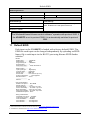
Default EDID
Updating the VS-88DTP Firmware
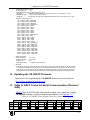
Table of ASCII Codes for Serial Communication (Protocol 3000)
Hex Codes for Serial Communication (Protocol 2000)
Kramer Protocol
Switching Protocols
25
26
27
27
28
28
28
15.2
Kramer Protocol 3000
29
15.3
Kramer Protocol 2000
35
15.1.1 Switching Protocols via the Front Panel Buttons
15.2.1 Host Message Format
15.2.1.1 Simple Command
15.2.1.2 Command String
15.2.2 Device Message Format
15.2.2.1 Device Long Response
15.2.3 Command Terms
15.2.4 Entering Commands
15.2.5 Command Forms
15.2.6 Command Chaining
15.2.7 Maximum String Length
15.2.8 Backward Support
28
29
29
29
29
29
29
30
30
31
31
31
Figures
Figure 1: VS-88DTP 8x8 DVI - Twisted Pair Matrix Switcher Front View
Figure 2: VS-88DTP 8x8 DVI - Twisted Pair Matrix Switcher Rear View
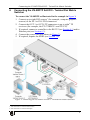
Figure 3: Connecting the VS-88DTP 8x8 DVI - Twisted Pair Matrix Switcher
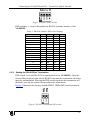
Figure 4: RS-485 DIP-switches
Figure 5: RS-485 Termination DIP-switch
Figure 6: Control of Multiple VS-88DTP Devices via RS-232 and RS-485
Figure 7: Local Area Connection Properties Window
Figure 8: Internet Protocol (TCP/IP) Properties Window
Figure 9: Preset Number Assignments using the Selector Buttons
Figure 10: Java Test Page Success Message
Figure 11: Entering the IP Number in the Address Bar
Figure 12: The Loading Page
Figure 13: First Time Security Warning
Figure 14: Main Switching Matrix Page
Figure 15: Selecting a Switching Point on the Matrix
Figure 16: Switching in the Offline Mode
Figure 17: Selecting Preset 07
Figure 18: Selecting Preset 03
Figure 19: Recalling a Preset in Offline Mode
Figure 20: Configuration Page
ii
5
6
9
11
11
12
13
14
15
18
18
19
19
20
21
21
22
23
23
24
KRAMER: SIMPLE CREATIVE TECHNOLOGY