1
Contents
Contents
1
2
2.1
3
3.1
3.2
4
4.1
5
6
6.1
6.2
Introduction
Getting Started
Quick Start
Overview
Recommendations for Best Performance
Using Twisted Pair Cable
Defining the VS-88DTP 8x8 DVI - Twisted Pair Matrix Switcher
Using the IR Transmitter
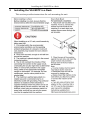
Installing the VS-88DTP in a Rack
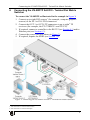
Connecting the VS-88DTP 8x8 DVI - Twisted Pair Matrix Switcher
Connecting to the VS-88DTP via RS-232
Connecting to the VS-88DTP via RS-485
1
1
2
3
3
4
5
7
8
9
10
10
6.3
Connecting to the VS-88DTP via Ethernet
13
7
7.1
7.2
7.3
7.4
7.5
Operating the VS-88DTP 8x8 DVI - Twisted Pair Matrix Switcher
Routing Inputs to Outputs
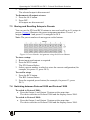
Disconnecting Outputs
Storing and Recalling Setups in Presets
Switching between Protocol 2000 and Protocol 3000
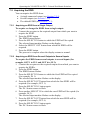
Acquiring the EDID
14
14
14
15
15
16
7.6
7.7
8
8.1
8.2
Locking and Unlocking the Front Panel Buttons
Control Configuration via the Ethernet Port
Controlling the VS-88DTP Remotely via Ethernet
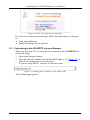
Connecting to the VS-88DTP via your Browser
The Main Switching Matrix Page
17
17
17
18
20
8.3
9
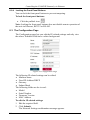
The Configuration Page
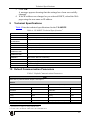
Technical Specifications
24
25
6.2.1
6.2.2
6.2.3
6.3.1
6.3.2
7.5.1
7.5.2
7.5.3
8.2.1
8.2.2
8.2.3
8.2.4
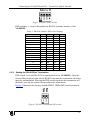
Setting the RS-485 Machine Number
Setting the RS-485 Bus Termination
Connecting and Controlling Multiple VS-88DTP Devices
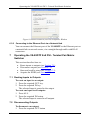
Connecting to the Ethernet Port directly to a PC
Connecting to the Ethernet Port via a Network Hub
Acquiring an EDID from a Single Output
Acquiring an EDID from Several Outputs to Several Inputs
Acquiring the Default EDID
Switching an Input to an Output
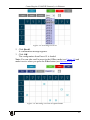
Operating in the Offline Mode
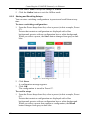
Storing and Recalling Setups
Locking the Front Panel Buttons
10
11
12
13
14
16
16
17
20
21
22
24
i