1
Instructors
Submission Errors
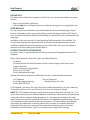
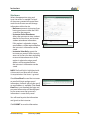
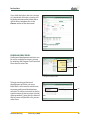
Note: If the information entered for an
instructor is not valid or is incomplete,
an error message will be displayed in
a red box near the top of the screen.
Any error messages displayed must
be resolved before the instructor’s
information can be saved successfully.
I
I. Error Message
List/Search Instructors
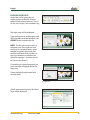
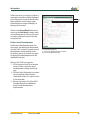
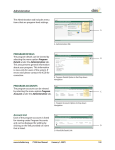
Instructor information can be edited
and reviewed under the Instructors
tab by selecting the List/Search option
from the menu.
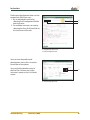
Note: There is a sub-menu available on
this screen under the heading. Hover
over the option to display the link.
J
K
L
M
N
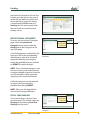
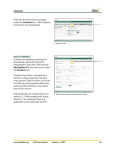
List All – displays all instructors without
regard for search criteria.
List Current FY – displays all instructors
assigned to classes within the current
fiscal year of the system.
Add New – brings up a new instructor
entry screen. This is the same screen
displayed under the Add New function
previously discussed.
J. List/Search Option in Drop-down Navigation
K. Prof. Dev. Report Link
L. Add New Link
M. List Current FY Link
N. List All Link
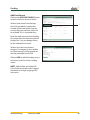
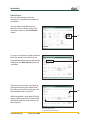
Prof. Dev. Report – prompts user to
select either PDF or Excel output of
Professional Development-Summary
report including all instructors in results
list.
www.iccbdaisi.org
(February 1, 2009)
26