1
41
Chapter 5:  Safari
44
44
45
46
46
47
Chapter 6:  Mail
48
48
49
49
50
Chapter 7:  Messages
51
Chapter 8:  FaceTime
53
53
54
55
Chapter 9:  Camera
56
56
57
57
59
59
59
60
Chapter 10:  Photos
61
61
62
Chapter 11:  Photo Booth
63
Chapter 12:  Videos
65
65
66
67
67
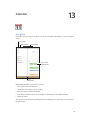
Chapter 13:  Calendar
68
68
69
70
Chapter 14:  Contacts
71
71
Chapter 15:  Notes
Reading mail
Sending mail
Organizing mail
Printing messages and attachments
Mail accounts and settings
Sending and receiving messages
Managing conversations
Sending photos, videos, and more
Messages settings
At a glance
Viewing, sharing, and printing
Editing photos and trimming videos
Viewing photos and videos
Organizing photos and videos
Photo Stream
Sharing photos and videos
Printing photos
Picture Frame
Importing photos and videos
Taking photos
Managing photos
At a glance
Working with multiple calendars
Sharing iCloud calendars
Calendar settings
At a glance
Adding contacts
Contacts settings
At a glance
Contents3