1
Digital Projection Projector Controller
OVERVIEW
Overview
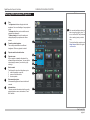
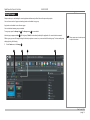
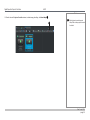
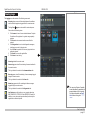
Projector Controller enables you to monitor and control all projectors connected to your computer via LAN or Serial Port.
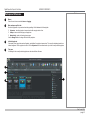
From a single screen layout you can view all projectors and access settings for an individual projector or for a group of projectors.
The software allows you to:
•
•
•
•
•
•
•
Notes
To check the latest version of this
software, visit
www.digitalprojection.com.
Create groups of projectors which can be controlled simultaneously
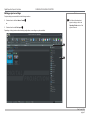
View essential information, such as model, name, ON/OFF status and lamp status, about all projectors on the network at a glance
View logs containing all interaction between the software and the projectors on the network
View network information such as IP and MAC address
Switch power on and off, open and close the shutter
Add and remove projectors within the network
Edit and control an array of settings, including:
•
•
•
•
Inputs and test patterns
Lens, image, color and geometry
Edge Blend and PIP settings
Plus many more
The software allows rapid network setup and discovery of projectors when using UDP mode.
Product revision
Because we at Digital Projection continually strive to improve our products, we may change specifications and designs, and add new features
without prior notice.
Legal notices
The software is provided as is. No warranty is implied. Digital Projection Ltd accepts no liability for loss or damage incurred as a result of its use.
Trademarks and trade names mentioned in this document remain the property of their respective owners.
Digital Projection disclaims any proprietary interest in trademarks and trade names other than its own.
Copyright © 2015 Digital Projection Ltd. All rights reserved.

Rev F July 2015
page 3