1
Chapter 8
Reports and Queries
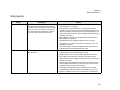
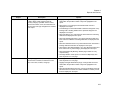
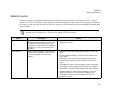
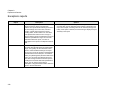
Report
Room Cards
Description
Options
A list of events that is designed to be posted
outside a room or event space. The report notes
the date, event time, and location for events, as
well as the group sponsoring each event. The
report can be a single list of all events that are
scheduled for the room on a particular date, or it
can be a single page per event.
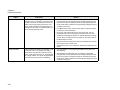
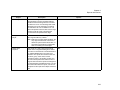
• Show Bookings on Start Date Only—If a booking is scheduled
overnight, then only the start date of the booking is displayed in the
report. For example, a booking exists for 3P Thursday through 10A
Friday. If this option is selected, then the booking is displayed only for
Thursday in the report.
• Print Blank Room Cards—Prints a room card for a space that does
not have any events scheduled.
• Print Logo—Prints the facility logo on each room card. You can
specify the logo location on the right or left side of the room card.
• Sort Room Cards By Book Sequence—If Book Sequencing is being
used on Room Configuration, then a facility can print room cards in
the Book Sequence order.
• Print Combo Room Components—Prints an individual room card for
each component of a combo room.
• Suppress End Time—Do not show the end times for bookings in the
report.
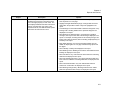
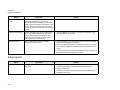
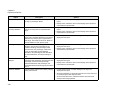
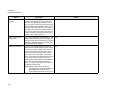
Activity Schedule
330
A list of bookings in all rooms in a building, or just
in a specific room in the building. The report,
which shows event start and end times, event
name, group name and room, can be generated
for a range of dates. The report can generated in
one of two formats—by Date or by Building.
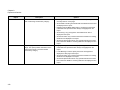
• Use Page Breaks—A new page is generated for each date or for
each building.
• Show Bookings on Start Date Only—If a booking is scheduled
overnight, then only the start date of the booking is displayed in the
report. For example, a booking exists for 3P Thursday through 10A
Friday. If this option is selected, then the booking is displayed only for
Thursday in the report.