1
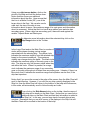
Using your right mouse button, click on the
picture of the ship and hold the button down.
Notice that this shows you additional
information about the ship. Here we see that
the Lion is a Battle Cruiser (BC), one of the
larger ships in the fleet. We can also see its
crew size, the size of the ship in tons,
information about its armor, the maximum range of its main guns, and information
about its armament. Notice that the Lion has 8 large caliber guns and also has
secondary guns. When a ship has secondary guns, these are used against the
smaller Torpedo Boats and Destroyers.
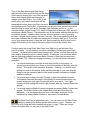
To determine more information about the selected ship, click on the
Ship Range button in the Toolbar.
In the Jump Chart and on the Main Chart, a number of
circles will be drawn showing various ranges
associated with the selected ship. The yellow circle
indicates the maximum visibility from the selected ship,
based on the current conditions. This maximum
visibility can change during the battle. The black circle
indicates the maximum range of the main guns on the
ship. The ship can only fire at enemy ships when they
are within this circle. When it is present, an orange
circle indicates the maximum range of any secondary
guns on the ship, although not all ships have secondary guns. Likewise, if there is a
blue circle, then it indicates the maximum range that torpedoes can be fired, if the
ship has torpedoes.
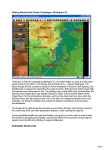
Notice that if you move the mouse to the edge of the screen, then the Main Chart will
scroll in that direction. However, if you click on any ship currently displayed in the
Ship List, then the Main Chart will return to the location of that ship and furthermore,
in this mode, will automatically scroll to follow the ship as it sails.
If you click on the Ship Names button on the toolbar, then the name of
each ship will be drawn on the Main Chart. Notice that you can click on
additional ships on the Main Chart and that their information is added to
the Ship List. In this way, you can keep track of several ships at any
one time. Remember that you can click on any of the displays in the Ship List and
the Main Chart will be scrolled to the location of that ship.