1
Overview
Simmons OneViewSM is an innovative decision-making system that serves as the primary platform for
providing marketers with access to the entire Simmons product suite and proprietary analytic tools.
Simmons OneView provides marketers with around-the-clock access to the vivid consumer insights
that they depend on from Experian Marketing Services through a secure, online delivery platform.
With Simmons OneView advertisers, agencies and media owners will be able to:
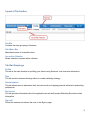
Profile: Instant profile reports, comprehensive data-mining and crosstabs provide you with in-depth
understanding of consumer targets enabling you to make data-driven marketing decisions quickly and
confidently.
Plan: Plan cross-media and messaging strategies with built-in analytic tools, including reach and
frequency reports, correspondence mapping and geographic analysis.
Measure: Close the loop on marketing activities by measuring campaign and ad effectiveness with
weekly updates on nearly 60,000 consumer data elements via Simmons DataStreamSM (additional
license required).
Know: Dashboards and automated alerts keep you up-to-date on the latest consumer trends letting
you know when market conditions change so that you never miss an opportunity to act.
Take Control: Intuitive features and role-based access serve the insight needs of everyone in your
organization, from the savviest analyst to the on-the-go sales executive, bringing into focus the
information necessary to accomplish the task at hand.
Accessing the application
Simmons OneView is available as a Web application. In order to access Simmons OneView, you
need a modern browser with the Adobe Flash 10 plug- in installed. Simmons OneView has been
tested to work on the following browsers:
• Microsoft Internet Explorer 7
• Microsoft Internet Explorer 8
• Mozilla Firefox 3.5.2
We have also performed some preliminary tests on the following browsers but are not yet ready to
certify them as working:
• Google Chrome 10 or higher
• Opera 11
• Safari 5
• Rockmelt
• Maxthon 3
• SpaceTime 1
Screen resolutions of 1024 x 768 or higher are recommended. Lower resolutions will work (as may be
needed for projectors) but will require screen scrolling.
3