1
Table of Contents
Table of Contents
Product Overview................................................................ 4
Package Contents.............................................................................4
System Requirements......................................................................4
Introduction......................................................................... 5
Features and Benefits.......................................................... 6
Wireless Basics..................................................................... 7
Four Operational Modes................................................... 10
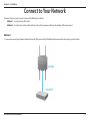
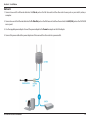
Connect to Your Network.................................................. 11
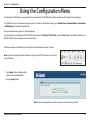
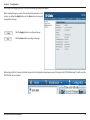
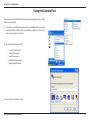
Using the Configuration Menu......................................... 13
Wireless Settings............................................................................ 15
Access Point Mode.................................................................. 15
WDS with AP mode . .............................................................. 17
WDS mode.................................................................................. 19
Wireless Client mode.............................................................. 21
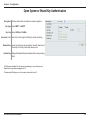
Open System or Shared Key Authentication ................ 23
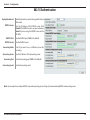
WPA-Personal Authentication............................................. 24
WPA-Enterprise Authentication.......................................... 25
802.1X Authentication........................................................... 26
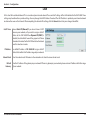
LAN .............................................................................................. 27
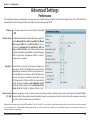
Advanced Settings......................................................................... 28
Performance.............................................................................. 28
Multi-SSID................................................................................... 31
VLAN Settings > VLAN List.................................................... 33
Port List........................................................................................ 34
Add/Edit VLAN.......................................................................... 35
D-Link DAP-3690 User Manual
PVID Setting............................................................................... 36
Intrusion...................................................................................... 37
Schedule..................................................................................... 38
AP Array....................................................................................... 39
Web Redirection....................................................................... 40
Internal RADIUS Server ......................................................... 41
ARP Spoofing Prevention Settings.................................... 42
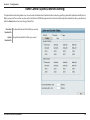
DHCP Server (Dynamic Pool Settings)............................. 43
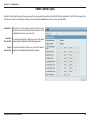
DHCP Server (Static Pool Setting)...................................... 44
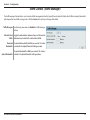
DHCP Server (Current IP Mapping List)............................ 46
Filters (Wireless MAC ACL).................................................... 47
Filters (WLAN Partition)......................................................... 48
Traffic Control (Uplink/Downlink Setting)....................... 49
Traffic Control (QoS)................................................................ 50
Traffic Control (Traffic Manager)......................................... 51
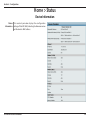
Home > Status................................................................................. 52
Device Information................................................................. 52
Client Information................................................................... 53
WDS Information..................................................................... 54
Home > Status ............................................................................... 55
Stats > Ethernet........................................................................ 55
Stats > WLAN............................................................................. 56
Log > View Log......................................................................... 57
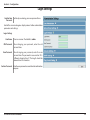
Log > Log Settings................................................................... 58
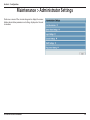
Maintenance > Administrator Settings.................................. 59
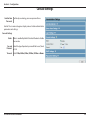
Limit Administrator................................................................. 60
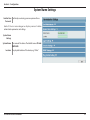
System Name Settings........................................................... 61
2