1
Chapter 8: Updating the Dr.Web ES Software and
Virus Databases
The key file has a write-protected format using a digital
signature. Editing the key file makes it invalid. To avoid this,
do not modify the key file and/or save it when closing the text
editor.
If the Agent with an active self-protection is installed on
Sever computer, you must disable Dr.Web SelfPROtect
component in the Agent settings before replacing a key files.
To install new key files in Dr.Web ES with the same ID1
parameter
1. Replace enterprise.key in the etc subfolder of the
installation folder of the Server.
2. Restart the Server using standard Windows OS tools or the
corresponding command from the Start menu (you can also
use the Console).
3. Import the new Agent key for the Everyone group. To do
this
u
If using the Console: in the catalog of the anti-virus
network select the Everyone group, and on its context
menu, select Import key.
u
If using the Web interface: in the catalog of the antivirus network select the Everyone group, and click
Import key in the toolbar.
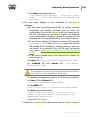
4. In the next window select the new key file for workstations
(agent.key) and click OK.
To install new key files in Dr.Web ES with a different ID1
parameter
1. Disable the protocols of the Agent and Network Installer.
To do this
Administrator Manual
215