1
39
38
Your Phone Service
Your Phone Service
Call Trace
Deactivate Outage Protection Service
Grande Username and Password
Managing your Calling Features
Call Trace ensures the phone number of your last incoming caller is
traced to provide necessary information to law enforcement agencies.
1. Lift the phone and listen for dial tone.
Your Grande Username is the same as your Grande Home Page
(www.mygrande.net) username or the first part of your email address
before the “@” symbol.
Our Online Phone Manager makes it easy for you to activate or
deactivate your Grande phone features.
2.Dial *95.
•
Turn Anonymous Call Rejection On or Off.
Example: If your email address is johndoe@mygrande.net then your
Grande Username is “johndoe”.
•
Control Call Forwarding Options.
Account PIN
•
Turn Do Not Disturb On or Off.
The Account PIN, also referred to as your CPNI Passcode, will be
required the first time you use the Online Phone Manager. The
Account PIN can be found on the top right section of your Bill
Statement. Whenever you contact Grande you will be required to
provide this PIN to authenticate yourself.
•
Set-up Priority Ringing features.
•
Create a Selective Call Rejection list.
•
Turn Caller ID Blocking On/Off for calls.
Important: If you do not have your Grande Username or passcodes
you will need to contact Grande Customer Service to create them for
you.
•
Set up your Speed Dial keys from 2-9 and 00-99.
•
Turn Call Waiting On/Off for all calls.
To use Call Trace
3. Listen to the deactivation message and hang up.
1. When you receive a harassing or offensive call, hang up immediately.
Outage Protection service is deactivated.
2. Leave the phone on the hook for about 10 seconds to ensure that the
call terminates.
3. Lift the receiver and listen for the dial tone. If you do not hear a dial tone,
the call may not yet be terminated and you will need to repeat Step 2.
Outage Protection Service Status
1. Lift your phone and listen for dial tone.
2.Dial *14.
4.Dial *57.
3. Listen to the status announcement and hang up.
5. Fill out the “Letter of Authorization for Call Trace” form located in the
“Law Enforcement Agency Handbook” document at
www.mygrande.com/policies.
6. Provide the form to your local law enforcement agency.
Important: The information provided by Call Trace will not be available to
you directly. It will only be available to law enforcement authorities
possessing a valid subpoena or other valid legal authorization. If the
call is life threatening, call your local law enforcement authorities
immediately.
Note: You can use the Online Phone Manager to activate and
deactivate Outage Protection Service.
Your Call History
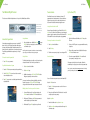
Your Online Phone Manager
You can view a detail of each call you have made or received using the
Call History capabilities of Online Phone Manager.
Managing your account is just a click away with Online Phone Manager.
You can listen to messages, manage your calling features, view your call
history, and much more.
Managing your Voicemail
Outage Protection Service
Our Online Phone Manager lets you control advanced features for your
Voicemail.
Grande Phone services include Outage Protection Service. In case of
a service outage, this protection service will redirect incoming calls to
another phone number so you never miss an important call. You must
activate this service using either the Online Phone Manager or the
* codes as detailed below.
Activate Outage Protection Service
1. Lift the phone and listen for dial tone.
2.Dial *94 and wait for the announcement.
3. Enter the phone number where calls should be forwarded followed
by #.
4. Wait for confirmation announcement and hang up.
Outage Protection service is activated.
•
List to your Voicemail online.
•
Erase Voicemail messages.
•
Change the number of rings before a call goes to Voicemail.
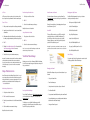
Accessing Online Phone Manager
•
Turn Voicemail On or Off.
To access Online Phone Manager go to http://phonemanager.mygrande.net
or click on the Online Phone Manager links on the Grande Portal
(www.mygrande.net).
•
Set up an automatic email notification when you have a new Voicemail.
•
Set up email forwarding so you can actually get an email containing an
attachment with a new Voicemail message.
•
Change your Voicemail passcode.
The first time you access the Online Phone Manager, you will be
prompted for your Grande ID, password, Account Number, and your
Account PIN to register your email address.