1
1
Your TV Service
Welcome To Grande
Communications
Your TV Service
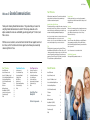
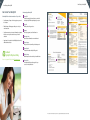
With your Grande Communications TV service there’s something for
everyone. And we have the features to help you maximize your
state-of-the-art entertainment experience.
Interactive Guide on Digital Receivers
The interactive guide helps you to easily find the shows or channels you
want to watch, see what is on at specific times, or search a particular
network. Use the guide to quickly find what you’re looking for so you
never miss a minute of the programming that is important to you.
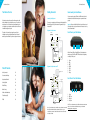
Thank you for choosing Grande Communications. This guide will be your resource for
everything Grande Communications has to offer. The more you know and use the
options available, the more value and flexibility you will enjoy with your TV, Internet, and
Phone services.
With focus on our customers, we have held true to the belief that our support teams must
be in Texas; our 24/7 customer and technical support calls will always be answered by
someone right here in Texas.
Your TV Service
Your Internet Service
Your Phone Service
Grande TV Overview
1
Using Your Remote Control
2
Using Your TiVo Remote Control
3
Your Scientific Atlanta Digital Receiver4
Your Motorola Digital Receiver
6
Your TiVo Premiere/Premiere Q
8
TiVo Stream
11
FlexScreen13
On Demand Services
13
High-Definition TV (HDTV)
14
Connecting Your Components
15
Troubleshooting Tips
18
FAQs18
Getting Connected
23
Your Grande Home Page
24
Using Grande Webmail
25
Setting Up Email
28
Email Phishing
32
Online Security
32
Wireless Home Networking
33
Troubleshooting Tips
34
FAQs34
Using Your Phone Service
37
Outage Protection Service
38
Your Online Phone Manager
38
Your Calling Features
40 Your Voicemail Service
46
Understanding Your Equipment
49
Troubleshooting Tips
50
FAQs51
How To Read Your
Monthly Bill
52
Policies & Agreements
54
Note: If you are in Austin, San Marcos, San Antonio or Waco, and use
a Scientific Atlanta digital receiver, check out that section for
information. If you are in Corpus Christi, Midland, Odessa or Dallas,
and use a Motorola digital receiver, you can refer to that section.
TiVo
TiVo Q from Grande is a new way to watch your favorite TV shows,
Grande On Demand, Web Videos, Music and Photos right on your TV
– whenever you want them, in every room in your house. From a device
so smart, it knows what you want and even helps you discover new
programs you’ll love. And if you add a TiVo Stream, you can watch live
TV or recorded shows on your favorite mobile devices.
Table Of Contents
Grande TV Overview
1
Using Your Remote Control
2
Using Your TiVo Remote Control
3
Your Scientific Atlanta Digital Receiver
4
Your Motorola Digital Receiver
6
Your TiVo Premiere/Premiere Q
8
TiVo Stream
11
FlexScreen13
On Demand Services
13
High-Definition TV (HDTV)
14
Connecting Your Components
15
Troubleshooting Tips
18
FAQS18
Parental Controls
We offer parental controls so you can choose the programming
appropriate for your children to view and block the content you don’t
want them to view.
FlexScreen
FlexScreen is the newest way to watch your favorite programs on any
screen, any time, anywhere. Watch over 100,000 clips, movies, and
shows. Whether you’re anywhere in your house or on the go,
FlexScreen is there for you.
On Demand
Grande TV customers with a digital receiver can enjoy On Demand –
total programming at your fingertips. Watch your favorite shows
back-to-back while enjoying the fast-forward, pause and rewind functions on your remote.
Note: On Demand service is not available in Dallas.
High-Definition Programming
Grande provides HD programming at no extra cost.