1
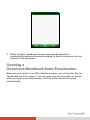
Creating a Bluetooth Partnership A partnership is a relationship that you create between your device and another device with Bluetooth capabilities to help exchange information in a secure manner. Creating a partnership involves entering the same Bluetooth passcode on both devices. Once a partnership is created, your devices need only have the Bluetooth function switched on to exchange information; they do not need to be visible. 1. Make sure that the two devices are switched on, visible, and within close range. 2. Tap Settings Connections Bluetooth Devices Add new device. Your device searches for other devices with Bluetooth capabilities, and displays them in the list. 3. Tap the name of the other device, and tap Next. 4. In Passcode, enter an alphanumeric passcode between 1 and 16 characters, and tap Next. 5. Enter the same passcode on the other device. 6. Tap Done.