1
Option Screening Properties
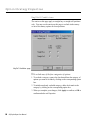
MIV Screening
You may screen options based on the market implied volatility
computed for each individual option. By specifying low and high
cutoff values, you can impose a range outside of which options will be
excluded.
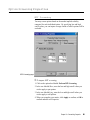
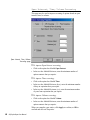
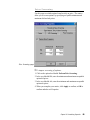
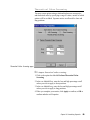
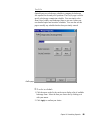
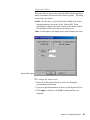
MIV Screening page
å To impose MIV screening:
1. Click on the option box labeled Perform MIV Screening.
2. In the row labeled Short, enter the low and high cutoff values you
wish to apply to put options.
3. In the row labeled Long, enter the low and high cutoff values you
wish to apply to call options.
4. When you complete your entries, click Apply to confirm, or OK to
confirm and also exit Properties
Chapter III: Customizing Properties
81