1
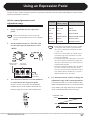
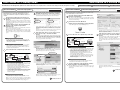
Terms Used in This Manual
Terms Used in This Manual
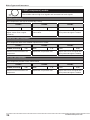
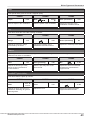
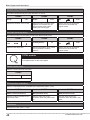
BANK 9
Modules
Types
COMP
EFX
ZNR
DRIVE
EQUALIZER
MODULATION
DELAY
REVERB
COMP
AutoWah
ZNR
EQ
Chorus
Delay
Hall
Rack
Comp
Resonance
Noise
Gate
FD
Combo
M
Comp
Booster
Tremolo
Dirty
Gate
VX
Combo
VintageCE
Echo
Room
StereoCho
Spring
US Blues
Ensemble
Analog
DLY
● Module
PATCH 0
BANK 0 PATCH 1
BANK
J
PATCH 0
PATCH
0 1
BANK
C
PATCH
BANK B PATCH
1
PATCH
BANK
A 0 0
PATCH 9
PATCH
PATCH
PATCH
0 1 1
PATCH
PATCH 9
PATCH 1
PATCH 9
PATCH 9
PATCH9
PATCH 9
Arena
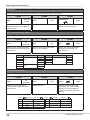
● Bank
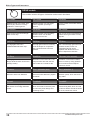
As shown in the illustration above, you can use up
to 8 effect units simultaneously. Each of these units
is called a "module."
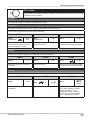
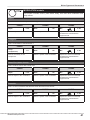
● Effect type
Among the modules, some allow different "effect
types" to be activated. For example, when using the
MODULATION module (modulation/delay effects)
you can choose one of several effect types, including
chorus, flanger and delay.
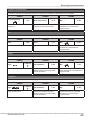
● Parameter
Variables that determine the application of an effect
are called "parameters." If we imagine each module
as a separate effect pedal, then each parameter
would be a knob on that pedal.
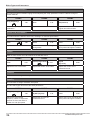
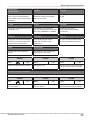
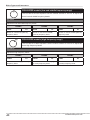
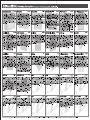
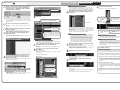
A set of 10 patches is called a "bank."
This unit has a total of 20 banks, including user
banks A–J, which can be edited and saved and preset
banks 0–9, which can only be recalled. (See the
illustration at the top right.)
● Mode
Each operation status of the G2Nu/G2.1Nu is called
a "mode." Depending on the currently selected
mode, the functions of keys and knobs change. The
modes include the play mode in which you choose a
patch and play your instrument, the rhythm mode in
which you can play back a rhythm pattern, the edit
mode in which you can create and change patches,
and the store mode in which you can save patches.
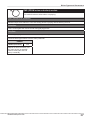
● Patch
The ON/OFF status of each module and the parameter settings are stored in units called "patches." Use
patches to recall and save effects.
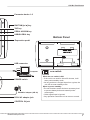
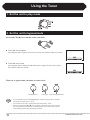
Operating the unit on batteries
1.
Turn the unit over and open the battery
compartment cover on the bottom.
2.
Insert 4 AA batteries into the battery compartment.
3.
Close the cover.
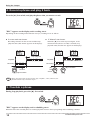
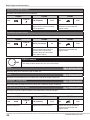
When the remaining charge is low, “Low Battery!” appears on the
display. When operating with batteries, you can check the amount
of remaining charge in the top right corner of the display when in
play, rhythm and direct modes.
Remaining battery charge
Latch
Press the latch to release
Cover
it and raise the cover.
ZOOM G2Nu/G2.1Nu
When operating with an AC adapter
or USB bus power, an adapter or
USB icon appears instead.
3