1
4) Procedures (For level 3 users)
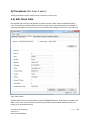
These procedures are for all access levels and can be followed by all users.
4.1) Login to the program
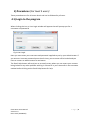
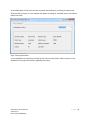
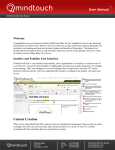
When clicking the icon, a User Login window will appear that will prompt you for a
username and password.
Fig 1:User Login
Here you must enter your username and password supplied to you by your Administrator. If
you enter an incorrect password more than 3 times, your account will be locked and you
have to contact an administrator for assistance.
The Email Help button will send you to an email screen where you can report your account
being locked or any other problem with log in. Please fill in your Username in the username
textbox before clicking on the Email Help button for help.
Client Data: User Manual
Version 1.0
Deon Smal (45409544)
Page |3