1
4.7) Change Password
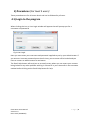
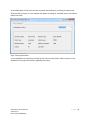
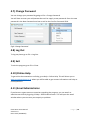
You can change your password by going to File > Change Password.
You will have to enter your old password as well as supply a new password. Enter the new
password in the New Password test box as well as the Confirm Password field.
Fig 8: Change Password
4.8) Log Out
To log out please go to File > Log Out.
4.9) Exit
To exit the program go to File > Close.
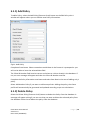
4.10) Online Help
To get online documentation and help, go to Help > Online Help. This will direct you to
www.creativeprojects.co.za where you will be able to get contact information and help on
some questions.
4.11) Email Administrator
If you have an urgent matter or question regarding the program, you can email an
administrator directly by going to Help > Email Administrator. This will open the email
window where you can stare your enquiry or problem.
Client Data: User Manual
Version 1.0
Deon Smal (45409544)
P a g e | 10