1
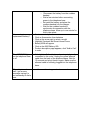
My screen displays:
•
“Local Network
connection failed.”
•
•
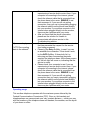
My screen displays:
•
“Cannot connect to
the Internet.”
•
My Screen displays:
•
“HTTP Error reading
data from network.”
•
If you receive this error message, this indicates
the ethernet cable is disconnected and/or your
router is not working properly.
Please check your computer to see if you are
experiencing a service and/or router issue. If your
computer is connecting to the internet, please
check the ethernet cable that is connected from
the phone base to the router. REMOVE it and
then reconnect it. If you are still not getting
connection then you can try temporarily plugging
the ethernet cable from the phone base directly
into your modem. If your phone connects to the
Internet when plugged directly into the modem,
there may be a problem with your router.
After you have tried the above information,
please see the solution for :Unable to
communicate with phone service” in this
Troubleshooting section.
If you receive this error message, this indicates
that the phone base did not acquire a valid IP
address. This indicates your router is not
functioning correctly or the internet connection is
not working properly.
Please check your computer to see if you are
experiencing a service and/or router issue. If your
computer is connecting to the Internet, please
check the ethernet cable that is connected from
the phone base to the router. REMOVE it and
then reconnect it. If you are still not getting
connection then you can try temporarily plugging
the ethernet cable from the phone base directly
into your modem. If your phone connects to the
Internet when plugged directly into the modem,
there may be a problem with your router.
If you receive this error message, there has been
a connection error in the network that has
prevented the update of information to your
screen.
Please try the Retry SoftKey, to see if you can
re-establish the connection. If that doesn’t work,
try INFO SoftKey. If those both fail, try removing
and then reconnecting the power supply to the
telephone base. As the base powers up, the Info
light will come on, indicating that the service is
ready.