1
CUT CONTOURS
6
Creating a workflow for contour cutting in Fiery XF
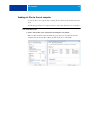
1 Make sure that the Fiery XF server is running, launch the client and open System Manager.
To be able to do this, a user with administrative rights must be logged on.
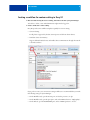
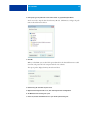
2 Create a workflow for contour cutting.
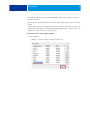
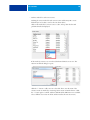
Fiery XF provides some workflow templates especially for contour cutting.
• Contour Cutting
For all plotters supported by the Cut Server Option, and all i-cut-driven devices.
• Zund Cut Center Connectivity
Supports all Zund G3/S3 devices and enables direct communication through the network
to the ZCC software.
If you prefer to create your own contour cutting workflow, it is recommended that you make
the following settings in System Manager:
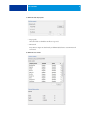
• On the Workflow tab, open the Preview pane, and set the preview to 72 dpi.
• On the Workflow tab, open the Speed pane, and set the RIP resolution to “High quality”.
• On the File tab, open the PS/EPS/PDF pane, and set in-RIP separation to “Force”.