1
Table of Contents
Oloneo PhotoEngine 1........................................................................................................................1
Additional Resources ................................................................................................................................ 1
Table of Contents ...............................................................................................................................2
Overview: Main Features ...................................................................................................................7
Introduction .............................................................................................................................................. 7
HDR ToneMap™: high dynamic re-exposure in real-time ........................................................................ 7
HDR ReLight™: take pictures then set-up lighting .................................................................................... 7
HDR DeNoise™: remove noise and keep details ....................................................................................... 7
Complete, high-end RAW photo processing ............................................................................................. 8
Overview: the User Interface..............................................................................................................9
Introduction .............................................................................................................................................. 9
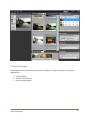
The Browse Workspace ............................................................................................................................ 9
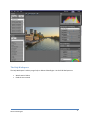
The Edit Workspace ................................................................................................................................ 10
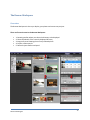
The Help Workspace ............................................................................................................................... 11
Managing the Workspaces ..................................................................................................................... 12
The Browse Workspace .................................................................................................................... 13
Overview ................................................................................................................................................. 13
The Browsing toolbar .............................................................................................................................. 14
The Thumbnail list................................................................................................................................... 15
The Image Info panel .............................................................................................................................. 17
The project creation panels .................................................................................................................... 17
The Recent Projects panel ...................................................................................................................... 18
The Edit Workspace ......................................................................................................................... 20
Overview ................................................................................................................................................. 20
The edited image .................................................................................................................................... 21
The Info panel ......................................................................................................................................... 21
The Image toolbar ................................................................................................................................... 21
The image setting panels ........................................................................................................................ 23
Oloneo PhotoEngine
2