1
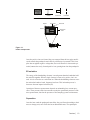
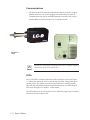
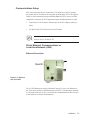
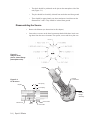
Communications • The System 200 LC-D software communicates directly to the PC using an Ethernet crossover CAT-5 cable plugged into an Ethernet port on the PC. Communication can also be established through a network (LAN) using a standard Ethernet cable between the LC-D and the network. Figure 1-3. LC-D An Ethernet card must be installed in your PC to establish communication between the LC-D and the PC. NOTE LEDs The LC-D LEDs are located on the back of the electronics as shown in Figure 1-3. When first started, the LC-D cycles through the LEDs, turning them green, red and yellow. This allows you to check that each LED is working properly. When the unit is through cycling, the top LED turns green. For further help on LED error messages, see Chapter 6 of this manual. The LEDs that follow are listed in the order in which they appear (top to bottom) on the back of the electronics unit. 1-6 | Dycor LC-D Series