1
Rozdział 10. Backup & Restore
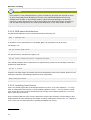
10.2.1. SQL dump through mysqldump
The contents of an entire Zarafa database can be saved to a file by using the mysqldump command.
There are, however, some options that are important in this case: the --single-transaction
option should always be specified to mysqldump. When this is done, it will cause mysqldump to write
a single snapshot of the database to disk. This will make sure that any writes done in the database
during the backup will not be backed up. In effect, the dump that is made is a ‘snapshot’ of the
database at the moment that the dump started.
When using mysqldump, it is very important not to do any table locking. This means that the --opt
option and --lock-tables should never be used while dumping a Zarafa database. The reason is
that these options will ‘lock’ the tables while they are being dumped to disk, causing any accesses to
the database to ‘freeze’ while the backup runs. This is firstly unnecessary and secondly may cause
emails that are arriving during backup to bounce (depending on the MTA settings).
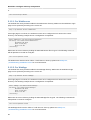
A simple:
mysqldump --skip-opt ---single-transaction -p <database> > <dumpfile>
will make a consistent dump of the database.
10.2.2. Binary data dump via LVM Snapshotting
This technique uses the ‘LVM Snapshot’ feature to effectively ‘freeze’ a binary view of the database
file, while the database keeps running. This ‘frozen’ view is then simply binary copied to a remote
server. This works because innodb makes sure that a single snapshot of a database will always be
coherent (ie. It will be able to recover the database when mysql is started up on this dataset.)
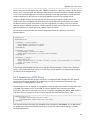
As setting up LVM and configuring LVM for snapshots is a complex process, we refer the user to the
LVM documentation and tools on how to set up an LVM volume for the MySQL data, and how to create
and delete snapshot partitions.
10.2.3. Attachments backup
When using the attachments storage outside the database, make sure that these attachments are also
backupped.
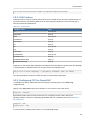
Some backup methods thtat can be used to backup the attachments:
• Rsync
• Copy all files to external backup server or external attached hard-drive
• Use of a (commercial) backup agent for Linux, like SEP, Bacula, Arkeia or others
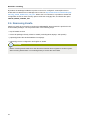
10.3. Brick-level backups
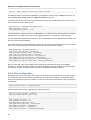
The commercial editions of ZCP provide a brick-level backup tool. This tool will create a backup of the
mailboxes to separate files. The second time a backup is performed , only the changed and new items
are added to the backup.
Please note that this kind of backup is not meant for disaster recovery. Only items are written in the
backup. No information about the users, or specific information the user create, like rules, are not
backed up.
142