1
17
z
Only if threats were found: Select this checkbox if you only want results to
be stored where threats were found. This option will be disabled if you have
selected not to automatically generate reports.
4.5. Exceptions
4.5.1. About Exceptions
Not all malware is unwelcome on the computer (this is particularly true for
adware), and so when scanning for malware this has to be taken into
consideration. Did the user deliberately install it, or did it install itself via
stealth methods. Anti-malware programs therefore have to allow for
exceptions, (a mechanism for identifying specific malware as "permitted" so
that the scanner will not repeatedly warn the user). AVG 7.5 Anti-Spyware
has the capability to create exceptions, so that selected programs, such as
your favorite adware, can be exempt from future malware scans.
4.5.2. Managing Exceptions
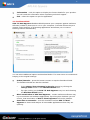
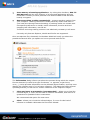
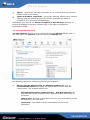
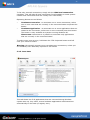
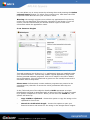
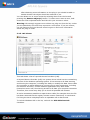
Click on the main menu icon Infections, and then select the Exceptions tab.
Here you have 3 possible buttons at the bottom of the dialog:
o
Add Rule - will open a new Add ignore rule dialog where you can
specify which file to ignore. The two options are:
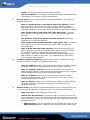
-
Ignore by name of threat: If you specify the name of the threat,
then all instances of this threat will be ignored. This means that if two
copies of the program exist then both will be ignored by the scanner
(even if they are located in different folders).