1
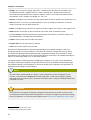
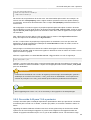
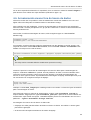
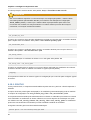
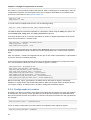
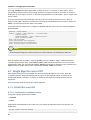
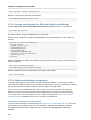
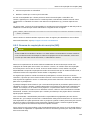
Example Setup with Apache
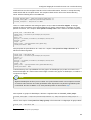
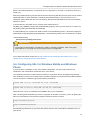
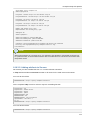
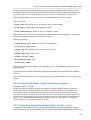
ServerName zproxy.example.com
SSLProxyEngine On
ProxyPass /zarafa https://z1:237/zarafa retry=0
ProxyPassReverse /zarafa https://z1:237/zarafa retry=0
ProxyPass /z1 https://z1:237/z1 retry=0
ProxyPassReverse /z1 https://z1:237/z1 retry=0
ProxyPass /z2 https://z2:237/z2 retry=0
ProxyPassReverse /z2 https://z2:237/z2 retry=0
Header add zarafa_proxy "yes"
RequestHeader set zarafa_proxy "yes"
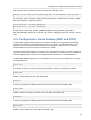
SSLEngine On
SSLVerifyDepth 2
SSLCertificateFile /path/to/WEB.CRT
SSLCertificateKeyFile /path/to/WEB.KEY
SSLCACertificateFile /path/to/CA.CRT
CustomLog /var/log/apache2/zproxy.example.com-access.log combined
ErrorLog /var/log/apache2/zproxy.example.com-error.log
</VirtualHost>
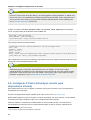
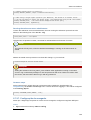
Nota
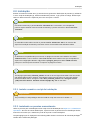
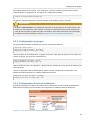
When using Apache as a reverse proxy, it is advised to use Apache in a threaded model and not
in a prefork model, as the threaded model is able to handle far more concurrent connections then
the prefork model.
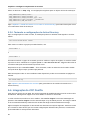
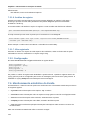
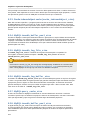
6.10.3.2. Adding attribute to Servers
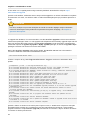
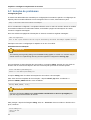
We assume you have installed the ZCP 7.1 or newer schema extensions.
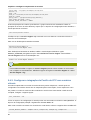
In ldap add the attribute ZARAFAPROXYURL to all servers in the multi-server environment.
For node Z1 this will be:
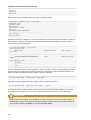
ZARAFAPROXYURL: https://zproxy.example.com:237/z1
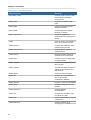
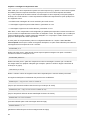
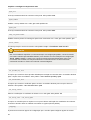
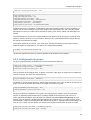
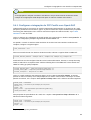
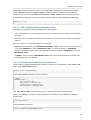
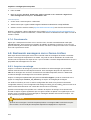
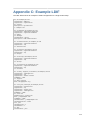
So the complete ldap record for node Z1 may look something like this:
objectClass: top
objectClass: zarafa-server
objectClass: device
objectClass: ipHost
ZARAFAHTTPPORT: 236
ZARAFASSLPORT: 237
ZARAFAFILEPATH: /var/run/zarafa
ipHostNumber: 192.168.1.1
cn: z1
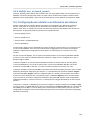
ZARAFAPROXYURL: https://zproxy.example.com:237/z1
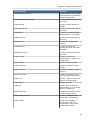
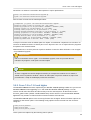
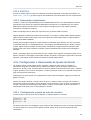
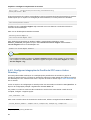
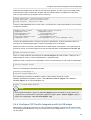
For node Z2 this will be:
ZARAFAPROXYURL: https://zproxy.example.com:237/z2
111