1
Netviewer
2. Working with Netviewer in Show mode
2.1. Screen view
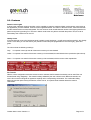
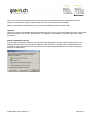
As soon as the connection has been established, the supporter will see the red Netviewer panel, which always appears
in the foreground. In this way, he can see at all times whether Netviewer connection is established.
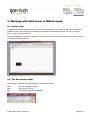
In the default configuration of Netviewer one2one, the supporter is in “Show“ mode at the start of a session, and shows
you his screen.
Please note:
Since the desktop background is initially hidden by default (see Application selection), if no application is open on the
supporter’s monitor, you will only see a black screen.
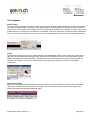
2.2. The Netviewer panel
watch:
Observe your counterpart’s screen.
show:
Show your own screen.
Remote ctrl off:
Your session partner can only watch and work with the pointer (default setting).
Creation date 7.19.05 / Version 1.0
Page 3 of 9