1
Netviewer
1. Establishing a connection
1.1. Customer
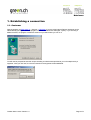
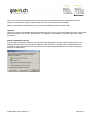
Start the program via www.green.ch -> Support -> Netviewer. If you are using Internet Explorer, Netviewer can be
started directly (see Figure: "Start the program from here". IE Version 6.0 and higher: "Open"). If you are using a
different browser, the program must first be saved to any location before you can run it.
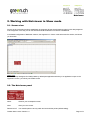
You will now be prompted to enter the unique consulting number that was provided to you on the telephone by a
supporter. After you click "OK", the visual connection to the supporter will be established.
Creation date 7.19.05 / Version 1.0
Page 2 of 9