1
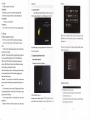
1.7 TF card
cnargrng
lme,
TF-CARD soll: exlernal T-FUSH card
1.8 Mini USB
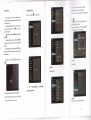
2.2 Connection
MlniUSB jack: you can use it to conneci the computer for daia
1.9 DC
with
PC
U Use USB cable to connect device to Pc,device w I pop up
tansmission, charging and enerna connection USB flash drive
be
USB connection window,clickTurn on USB storage to @nned to PC
Adapter
For charging. yourtab et
batery
1.10 Recovery
When the Tablel under the conditon ofthe crash, upgrade firmware
2. First use
Delete Ens: :o1g .€s 3e lE.s 3 se@nd, dEg the cons to lhe
Recycle Bin @n. o.€ 1 *€me re Lcen your hand, afrer that you
2.1 Baftery management and charge
Before
irst
use, p ease set the devices bafrery s fui y charged
Just need lo connecl the adaplor or USB ntedace, then you can
charge
The irsi Mo times charg ng please keep about 6 houre, afrerthatyou
jusl need 4 hours to charge,
(Remark) : Thistablet
using Buillin lype polymer baflery Charge must
be to choose sbndard adaptor (lnpul: AC110-240V 50/60H2 Max,
180MA.. Output: DCs.0-5.5V/1.5A), ihls device wilhoul supply DC
charg ng, USB inteface can charge, Choose USB intet'ace to charger
lnto the load mode, you can copy, delele the
ile
on
lhedevle
and
Se
3.
toud he sler
You
screen" as
frle on the memory card.
keD
shoM Elow:
a
tme, appear
the dlalog
box1dd yo
Home
Equipment operatiotr interface
3.1 Main intedace describe
Afler stadup wil enterthe main interface
During the charg ng, the batery icon w ll scroll
When inished charglng, batrery icon will become green and stop rolling
ln orderto prolong the seruice life of the machine suggest use out
battery power before charge it
( Remark) : 1. lf you ong Ume don't lo use th s Tab ei,,in order to avoid
power consumpton calsed damage,pls
charge/play
the batery once a
3.2
2. Aiter ow batery shut down,connecl DC adaploidevlce wili remind
low baiterycharging,need io walt some iime untl the batery is enough
powerto enl€r into main menu.
3. Device charging should be in standby slatus lor reach
normal
charging i me.
Because wiih device and screen consumpton,it may cause longer
sbtus bar descdb
a
The sbtrs
Top l€fl d
n the main ntedace, you can
:
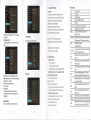
Management maln inteface sotuare ICONS: long press the i@ns 3
second afier the lcons w ll bigei then you can d.ag anphere n the
$f abr'e citne
sdeen
sc.y qa : 'ited6e sotuare. T Flash card, USB
@nneco. s6:rs a-c sc on
Top igh: c s. ?y re b.nery. batery
time. Set'.gs IlenJ ESC butor
charge icons, cutrenttime, set