1
EN
TSK1 Multi protocol Keyboard User Manual
Contents
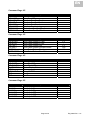
Safety Rules ........................................................................................................................6
Contents of the package ......................................................................................................7
Keyboard top view ...............................................................................................................7
Keyboard rear view ..............................................................................................................8
Installing the keyboard .........................................................................................................9
Dip switch setup ...............................................................................................................9
Power supply connection ...............................................................................................10
Communications lines and connections.............................................................................11
RS485 Serial line connectors .........................................................................................11
RS232 Serial line connector ..............................................................................................12
Firmware Version...............................................................................................................13
Configuring the keyboard...................................................................................................14
Language .......................................................................................................................15
Password .......................................................................................................................16
Serial channels setup .....................................................................................................19
Devices selection........................................................................................................19
Protocols selection......................................................................................................21
Baudrate selection ......................................................................................................21
Configuration verify.....................................................................................................22
Utils Menu ......................................................................................................................23
Joystick.......................................................................................................................23
Contrast ......................................................................................................................24
Address ......................................................................................................................25
Reset ..........................................................................................................................25
Monitor setup .................................................................................................................26
Camera setup.................................................................................................................28
P/T ..............................................................................................................................29
DVR ............................................................................................................................30
MATRIX ......................................................................................................................32
MULTIPLEXER...........................................................................................................33
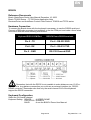
SPEED DOMES ................................................................................................................35
PELCO ...........................................................................................................................35
Reference Documents ................................................................................................35
Hardware Connection .................................................................................................35
Keyboard Configuration ..............................................................................................35
Command Menu .........................................................................................................35
PANASONIC ..................................................................................................................38
Reference Documents ................................................................................................38
Hardware Connection .................................................................................................38
Page 3/78
Eng 0650 Rev. 1.01