1
05
COMPUTER
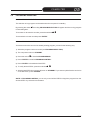
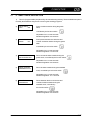
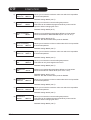
35) (Stopping and Emptying the Drum)
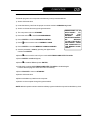
Clear all previously inserted keys. Push the function keys n° 21-22-28 confirm with the “ENTER”
key and the time will blink;
36) Type 3 and 0 on the numeric keypad and confirm with the “ENTER” key and the seconds will
blink;
37) Press “ENTER” to confirm causing the 7th STEP to flash;
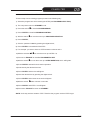
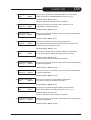
38) (Drying; Part 1)
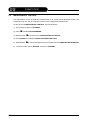
Clear all previously inserted keys. Push the function keys 1-6-7-8;
39) Note: If you wish to dry in this STEP with the DRUM AIR INLET at 65°C you need to proceed as
follows;
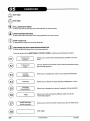
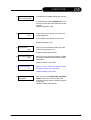
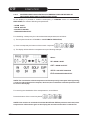
40) Press button
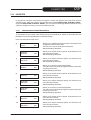
51 (TEMPERATURE CONTROL) until DRUM INLET appears on the screen, and
the temperature value blinks;
41) Type in the temperature on the numeric keypad; for 65°C type in 6 and 5;
42) To confirm this value and exit from the temperature screen, push the “ENTER” key until you return
to the beginning of the STEP;
43) Press “ENTER” and the time will blink;
44) Type in 5 on the numeric keypad and confirm with the “ENTER” key causing the seconds to flash;
45) Press Ê to insert the time and confirm with the “ENTER” key, and the 8th STEP will blink;
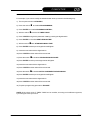
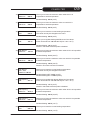
46) (Drying and Emptying the Drum)
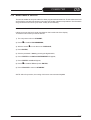
Clear all previously inserted keys. Push the function keys n° 1-6-7-8-21-22-28.
If you do not wish to insert a temperature in this STEP, the machine will automatically use the
default value;
47) Press “ENTER” and the time will flash;
48) Type 2 and 0 on the numeric keypad and confirm with the “ENTER” key causing the seconds to
blink;
49) Press “ENTER” to confirm and the 9th STEP will flash;
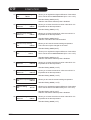
50) (Drying with DRY-CONTROL; Part 2)
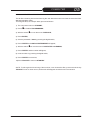
Clear all previously inserted keys. Push the function keys n° 1-6-7-8-9;
51) Note: If you wish to dry in this STEP with the DRUM AIR INLET at 75°C you need to proceed as
follows;
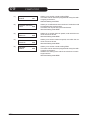
52) Press button
51 (TEMPERATURE CONTROL) until DRUM INLET appears on the screen, and
the temperature value blinks;
53) Type in the temperature on the numeric keypad; for 75°C type in 7 and 5;
5-72
HYDROCARBON
03-2007