1
BS&A briefings...
Assessing/Equalization
New Feature Highlight
No new features have been added to this month’s update, only
general corrections and program maintenance.
Looking ahead
Several new features/changes have been added/made to both
Pervasive Assessing and Assessing .NET in 2014. To see a list
of these changes in Pervasive, you can visit our website at
www.bsasoftware.com, click Support on the Home page, then
Pervasive Updates. Finally, next to “Assessing System,” click the
View Change Log option. .NET users can open the application
and click the globe in the lower right corner. Select “Show
Update Entries for the following number of days,” enter the
days, and a list is compiled.
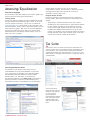
Another option for .NET users is to go to Help>View
Documentation>Tutorial. This launches our Assessing Tutorials
web page, which offers video tutorials for a variety of
operations, including rolling over.
Program Issues of Note:
Many minor changes to the software have been made since
the last update. These and all changes are documented on our
website.
• Please keep in mind that because of how the L-4025 is
calculated, the only numbers that you will be able to balance
to other reports generated in the program are the Total
Previous and Current Taxable Values (you will not be able
to balance the PRE/Non-PRE numbers to any of the other
reports). An exception to this are parcels marked as Sr/Ctzn/
Dis Fam Hsg-PILT; these types of parcels report on all other
reports (not L-4025 or L-4028) as Ad-Valorem.
Tax Suite
Tax
From time to time, Tax users ask for how-to documents on a
variety of topics. Go to our website and click the Support menu,
then Help Docs. Click the blue View Documents box beneath
“Assessing & Property Tax Suite Help Docs” (or click here to be
taken directly to the page). Each help doc is a PDF that may be
viewed/printed.
Assessing/Equalization News
It’s that time of year again to start rolling over the
2014 database into a new 2015 database. For Pervasive
users, instructions are available in the Help Menu>Other
Documentation>Roll Over Reference (requires Adobe
Acrobat reader). For .NET users, go to Help>View
Documentation>Manual. Type rolling over into the Search
field and press Enter. Click the link entitled Rolling Over
and Preparing the New Year Database for a full description.
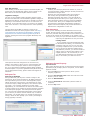
You may also print
topics directly from the
electronic user manual.
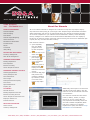
In your program,
go to Help>View
Documentation>Manual.
Click the Printer button
appearing above the
topic you would like to
print.
2 BS&A Software 3rd Quarter 2014