1
Supervisor documentation
Table of Contents
1-
INTRODUCTION ....................................................................................................................................... 9
1-1- Description of SUPERVISOR .................................................................................................................... 9
Generality ................................................................................................................................................. 9
Performance.............................................................................................................................................. 9
Modularity ..................................................................................................................................................... 9
1-2- Description of SPL software..................................................................................................................... 10
Generality ............................................................................................................................................... 10
2-
INSTALLATION/STARTING................................................................................................................. 11
2-1- Environnemental consideration................................................................................................................ 11
2-2- Safety ........................................................................................................................................................ 11
2-3- Connections .............................................................................................................................................. 12
2-3-1- General explications ......................................................................................................................... 12
2-3-2- Supervisor......................................................................................................................................... 12
S640:....................................................................................................................................................... 12
S80:......................................................................................................................................................... 13
PC <-> SUPERVISOR cable :................................................................................................................ 13
2-4- Getting started .......................................................................................................................................... 14
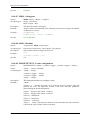
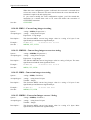
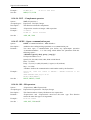
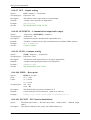
3-
SPL SOFTWARE...................................................................................................................................... 15
3-1- Installation................................................................................................................................................ 15
3-1-1- System configuration........................................................................................................................ 15
3-1-2- Installation procedure ....................................................................................................................... 15
3-1-3- Upgrade from previous versions....................................................................................................... 16
3-2- Architecture .............................................................................................................................................. 16
3-2-1- Folders .............................................................................................................................................. 16
3-2-2- Project contents ................................................................................................................................ 17
3-3- Description ............................................................................................................................................... 17
3-3-1- Initial screen ..................................................................................................................................... 17
3-4- Menus and icons ....................................................................................................................................... 18
3-4-1- Project menu..................................................................................................................................... 18
3-4-2- Constants/Variables/Tasks menu...................................................................................................... 21
3-4-3- Debug menu...................................................................................................................................... 22
3-4-4- Communication menu....................................................................................................................... 28
3-4-5- Options menu.................................................................................................................................... 31
3-4-6- Help menu ........................................................................................................................................ 33
3-4-7- Configuration tab.............................................................................................................................. 33
A) Serial 1 .......................................................................................................................................... 34
B) Serial 2 .......................................................................................................................................... 34
C) Serial 3 .......................................................................................................................................... 35
D) Inputs............................................................................................................................................. 35
a)
Card : ....................................................................................................................................... 35
b)
Bloc 1 : .................................................................................................................................... 36
c)
Bloc 2 : .................................................................................................................................... 36
E) Outputs .......................................................................................................................................... 37
F)
Accessories.................................................................................................................................... 38
3-4-8- Global constants tab.......................................................................................................................... 38
3-4-9- Global variables tab .......................................................................................................................... 39
3-4-10- Tasks tab......................................................................................................................................... 40
R403
-2-
SERAD S.A.