1
Cloud Sensor User’s Manual
TABLE OF CONTENTS
1. Warnings ..............................................................................................................................2
2. Introduction ..........................................................................................................................3
3. Operating Principles ..............................................................................................................3
4. Software Installation and Cloud Sensor Familiarization ...........................................................5
5. Cloud Sensor Unit Installation................................................................................................7
6. Reliability .............................................................................................................................9
7. Birds...................................................................................................................................12
8. Lightning............................................................................................................................12
9. Clarity Software..................................................................................................................13
10. Remote Operation..............................................................................................................17
11. Contact Closure For Emergency Observatory Shutdown ......................................................19
12. Error Messages..................................................................................................................19
13. COM Interfacing ...............................................................................................................20
14. Warranty...........................................................................................................................21
15. Contacting Us....................................................................................................................22
1. Warnings
a) THIS DEVICE IS PRIMARILY INTENDED FOR OBSERVATION PLANNING. While it
can be used to trigger the closure of an observatory under adverse weather conditions, it is
NOT intended as the primary or sole protection against rain or snow entering the
observatory. Under certain meteorological conditions it is possible for rain to occur without
clouds being detected by the sensor. Significant rainfall or snowfall may occur before the
wetness detector triggers. Improper installation or adjustment may impair detection of
adverse weather conditions. Operator vigilance and the use of multiple weather
information sources are essential when operating an observatory remotely.
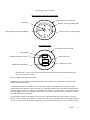
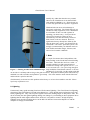
b) THE METAL SENSOR HEAD AT THE TOP END OF THE CLOUD SENSOR UNIT
CAN GET HOT (70°C or 158°F). Do not touch it carelessly even if you think that it should not
be hot. An unlikely failure of the wetness sensor could cause it to heat unexpectedly.
c) The emergency dome closure connector (see section 11) may call for a dome closure at any time.
IF YOU ARE WORKING ON THE DOME, TURN OFF THE POWER TO THE DOME.
d) Please do not adjust the 7 screws around the outside of the cloud sensor unit . On some versions
of the Cloud Sensor they are supposed to stick out a bit.
e) When correctly installed, the Cloud Sensor Unit is rain -proof. Never immerse the unit in water.
Also, the power supply and adaptor box are for indoor use only.
f) At the cable connector end of the Cloud Sensor Unit there is a small temperature sensor. It is
fairly well protected from mechanical damage but, if you really try, you could break it.
g) The mini-DIN connector on one end of the cable can be plugged into your PC and other devices.
Do not do that. It is ONLY to be plugged into the supplied adaptor box.
h) We strongly suggest that you try the Cloud Sensor Unit indoors as explained in section 4 before
doing the final installation.
V004G
2