1
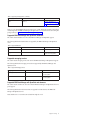
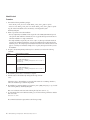
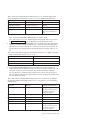
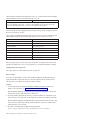
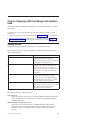
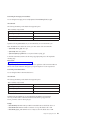
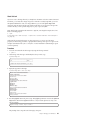
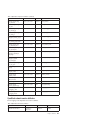
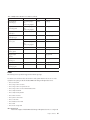
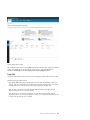
Notes:
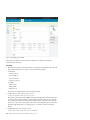
1. The allocated processors and memory that is displayed for a IBM PowerVC host might not match the
actual allocation in the PowerVC environment. This is because the IBM Cloud Manager with
OpenStack appliance environment with OpenStack does not support fractional processor units and
manages only resources that are owned by the Storage Connectivity Group that is defined in the
PowerVC driver configuration.
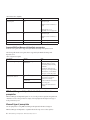
2. The physical capacity for processors and memory that is displayed for a PowerVC host does not
include resources that are reserved in the PowerVC environment.
3. The Capacity view does not display storage data for PowerVC clouds.
Managing with OpenStack dashboard
Use this information if you are managing your cloud using the OpenStack dashboard, which is based on
OpenStack Horizon. The IBM Cloud Manager with OpenStack dashboard is intended for administrator
use only.
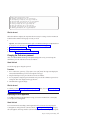
If you choose, you can use the OpenStack dashboard to manage your cloud environment. After you
install and deploy IBM Cloud Manager with OpenStack, access the dashboard. From a supported
browser, type https://controller.fqdn.com/, where controller.fqdn.com is the fully qualified domain
name of the controller node in your topology.
You can log in using the admin user with the password that you customized for your deployment. If you
deployed the Minimal topology, then the default password is admin. For more information about users
and passwords, see the “User names and passwords” on page 263 and “Data bags” on page 277 topics.
You can configure some of the properties in the dashboard as well. For specific configuration options, see
“Configuring IBM Cloud Manager with OpenStack dashboard properties” on page 204.
The OpenStack dashboard is based on OpenStack Horizon. For information about the OpenStack
dashboard, see Horizon: The OpenStack Dashboard Project.
Copying images from one OpenStack region to another
You can copy an image that is stored in the image repository of one OpenStack region to the image
repository in another region.
About this task
An image consists of the following information:
v A disk image
v Image metadata that is stored in the OpenStack image repository (Glance)
v Image configuration data that is stored in the IBM Cloud Manager with OpenStack self-service portal
database
OpenStack provides APIs and command line interfaces that can be used to copy images from one image
repository to another.
v OpenStack Image Service APIs can be used to list images, retrieve and upload images.
v The openstack image command (create, list, save, set and show subcommands) and glance command
(image-create, image-download, image-list, image-show and image-update subcommands) provide
command line interfaces to the Image Service APIs.
v The OpenStack dashboard provides image management capabilities.
IBM Cloud Manager with OpenStack self-service portal provides APIs and graphical interfaces for
working with images. The self-service portal manages some properties in the OpenStack image metadata
Chapter 7. Managing as an Administrator
253