1
Installation Guide
Introduction
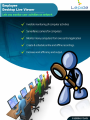
Congratulations, you have just downloaded Employee Desktop Live Viewer, the best tool to monitor
activities of many computers from one central location.
Employee Desktop Live Viewer software is very easy to use and is a complete solution to track
activities of computers remotely. It becomes the perfect solution for System Administrators, Managers,
Companies of large-medium-and small scale to track activities which could be harmful to any
organization.
This powerful tool helps you to track any computer on Network and provides complete information of
the activities performed by users. It provides two setup files, first the Viewer setup and second, the
Agent setup.
Viewer setup is installed on the Server computer which will monitor the computer activities and the
Agent setup will be installed on the remote target computer(s) for which monitoring has to be
performed. The Agent can be installed remotely (with administrative rights only) and manually to the
computer systems.
Employee Desktop Live Viewer also provides options to create Online and Offline recordings where
the activities can be recorded and saved to AVI files for future references. To promote stealth or the
invisible monitoring of target computer(s), we facilitate you with the options whether or not to inform the
users about the monitoring of their activities.
With Employee Desktop Live Viewer, you can be assured to have the most advanced, quick and
accurate, and reliable monitoring of user activities.
Employee Desktop Live Viewer
3
Website: http://www.nucleustechnologies.com | Support Center: http://www.nucleustechnologies.com/supportdesk/