1
Nano Quick Reference
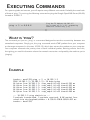
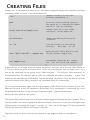
• Ctrl+X Exit the editor. If you’ve edited text without saving, you’ll be prompted as to whether you
really want to exit.
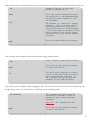
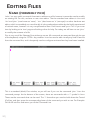
• Ctrl+O Write (output) the current contents of the text buffer to a file. A filename prompt will
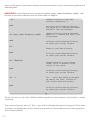
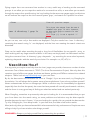
appear; press Ctrl+T to open the file navigator shown above.
• Ctrl+R Read a text file into the current editing session. At the filename prompt, hit Ctrl+T for the
file navigator.
• Ctrl+K Cut a line into the clipboard. You can press this repeatedly to copy multiple lines, which
are then stored as one chunk.
• Ctrl+J Justify (fill out) a paragraph of text. By default, this reflows text to match the width of the
editing window.
• Ctrl+U Uncut text, or rather, paste it from the clipboard. Note that after a Justify operation, this
turns into unjustify.
• Ctrl+T Check spelling.
• Ctrl+W Find a word or phrase. At the prompt, use the cursor keys to go through previous search
terms, or hit Ctrl+R to move into replace mode. Alternatively you can hit Ctrl+T to go to a specific
line.
• Ctrl+C Show current line number and file information.
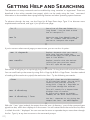
• Ctrl+G Get help; this provides information on navigating through files and common keyboard
commands.
| 31