1
HOW-TO
Written by Jonny McCullagh
F
or several years, various
iPod models have supported
storing and viewing photos.
However, Apple does not support
Linux users with its iTunes
software. Thankfully, Flavio
Gargiulo has come to the rescue
with GPixPod.
(http://www.gpixpod.org) is an
elegant tool for managing photos
on an iPod, but, I hit a brick wall
when I first started using it.
GPixPod is available from the
universe repository, and is easy to
install using your favorite
package manager. After
installation, GPixPod is available
from the Applications > Graphics
menu.
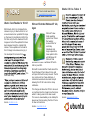
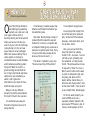
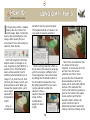
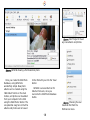
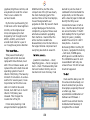
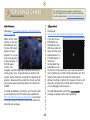
When you first open GPixPod,
you will probably be greeted with
a slightly daunting dialog (Figure
1) asking for an iPod Photo
Database. This database resides
on your iPod. As a confused iPod
PUT PHOTOS ON YOUR iPOD
novice, I canceled this dialog and
went in search of GPixPod's
configuration in Edit > Preferences.
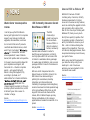
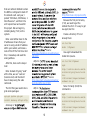
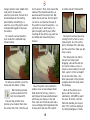
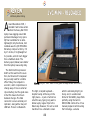
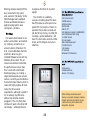
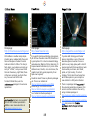
In the preferences dialog (Figure 2), I
could see that GPixPod was looking
for an iPod mounted at /mnt/ipod which did not exist on my system.
Changing the 'iPod mountpoint' to
the actual iPod device connected to
the computer solved the problem of
the missing iPod Photo Database.
The GPixPod
Preferences showing the
incorrect iPod mount point.
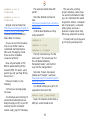
After choosing your connected
iPod in the Preferences dialog,
GPixPod will prompt you to
create a Photo Database for
storing details about your
albums and photos.
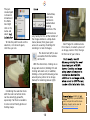
GPixPod will ask for an
iPod Photo Database when opened.
17
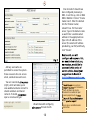
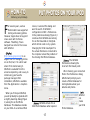
GPixPod
can
create
your iPod
Photo Database.