1
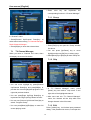
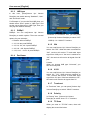
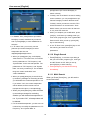
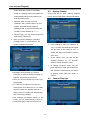
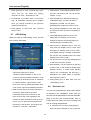
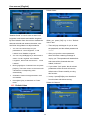
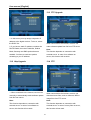
User manual [English] 9.3 9.4 Local Time Setting Timer Press [OK] key to open timer menu. When you enter to “Time & Timer Setting” Current time information will display on the first menu, you will see “Time” and “Timer” items. column; if the current time is incorrect, please 1 Time: When you select “Time” and press [OK] modify the time information in “Local Time key to enter the menu, you will see the screen Setting” item. like below: Timer Number: You can press [Left/Right] keys to set Timer number, and there are 8 timers in total. Timer Mode: There are several modes for Timer to setting, include Off, Once, Daily, Weekly, Monthly and Yearly. Timer Service: There are three options for “Timer Service”, include “TV Channel” and “Radio Channel” (timer setting for channel change and Wakeup/Sleep) , "Record Radio" and "Record TV" (Timer setting for Record GMT Usage: This item is use for open the the TV or Radio program to USB Hard Disk) usage of GMT. You can press [Volume Up / and Message (reminding message) Volume Down] keys to switch “On/Off”. When you select “Channel” (timer setting for The “GMT Offset” item is valid only when the channel change and Wakeup/Sleep) option in setting of “GMT Usage” is “ON”. You can press “Timer Service”, the screen will display like [Left/Right] keys to switch “GMT Offset” value, below: and the range is “-12:00 ~ +12:00”, increase each half hour progressively. You can press [Left/Right] to control Summer time on or off. “Date” and “Time” items are valid only when the setting of “GMT Usage” is “oFF”. You can press [Left/Right] keys to moving highlight and use number keys to input directly. If the current channel provides the correct time information, you will see the current time while you enter “Time” menu. If the channel doesn’t Channel: press [OK] key to enter provide time information, you have to input the channel list and select channel that date and time information manually. you want to setting. Time Display can control time display on or off Date: use number keys to input your when full screen play. Press [Menu]key to draw back from “Time” wakeup date. menu. On Time: use number keys to input your wakeup time. Once the time’s up, no 21