1
Introduction
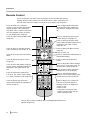
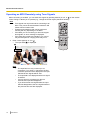
Remote Video Camera Operation via Remote Control
You can move the other party’s video camera up, down, left, and right as well as zoom in and out
(Page 55).
Selectable Video Source
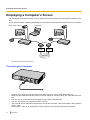
By connecting your computer or video camera to the unit, you can show your computer’s screen or video
camera image to video conference call participants (Page 64, Page 68).
Encrypted Communication
Packets sent for video conference calls can be encrypted to prevent packet leaks, tampering, or
eavesdropping.
KX-VC Series NAT Traversal Service
"KX-VC Series NAT Traversal Service" is a service that allows you to easily and affordably set up and operate
a communication environment for the HD Visual Communication Unit.*1*2 Also, complicated router configuration
is unnecessary, which allows even people who are not network administrators set up a communication
environment. Furthermore, you can assign the unit a unique number (Terminal ID), which allows the unit to be
called not by IP address, but with the unique 7-digit number. This means communication can be initiated as if
calling a telephone. Communication can also be encrypted, so that you can communicate over the Internet
safely and securely.
For details about KX-VC Series NAT Traversal Service, refer to the following web site:
http://panasonic.net/psn/products/hdvc/nat_traversal/index.html
*1
*2
This service may be unavailable depending on the country/area of use. For details, contact your dealer.
This service may be unavailable depending on your router’s type or your Internet connection environment. For details, contact your
dealer.
Making Video Conference Calls via SIP Server
By using a SIP server, you can establish video conference calls not just by IP address, but also by specifying
a SIP URI (SIP user name@SIP domain name) instead. If the other party uses the same SIP domain name
as you, you can make a video conference call by specifying only the SIP user name (Page 99). For information
about supported SIP servers, contact your dealer.
Enhanced Features through the Use of Activation Keys
By using an activation key (sold separately), you can enable connection to MCUs (multipoint control units) and
non-Panasonic video conference systems (Page 75). Features enabled through activation keys are available
even after performing a system initialisation (Page 101). For details about the activation key, contact your
dealer.
Connection to non-Panasonic Video Conference Systems
You can connect to a non-Panasonic video conference system and have a 2-party video conference call.*1 This
feature must be enabled with an activation key (Page 76, Page 101).
*1
For details about the types of non-Panasonic video conference systems you can connect to, contact your dealer. Communication
cannot be encrypted when you connect to a non-Panasonic video conference system. Instead, connect over an intranet or via a VPN
(Virtual Private Network).
User Manual
3