1
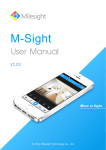
Milesight Technology Co.,Ltd. User Manual Chapter I Introduction 1.1 M-Sight Introduction The M-Sight app provides a powerful mobile surveillance tool that enhances security by providing administrators the flexibility to monitor the live video from the IP camera via wireless network. It’s a video management system that works with the IP cameras to provide video monitoring. The interface is simple and intuitive, with easy access to the most common activities, such as viewing live video, recorded video playback. It’s able to integrate with other devices through ONVIF. This manual describes how to use and manage the M-Sight in your networking environment. Some knowledge of networking environments would be beneficial to the reader. Should you require any technical assistance, please contract authorized service center. 1.2 Key Features Support up to 16 channels playing simultaneously Full screen for single or 4 channels playing synchronously Support digital zoom Support to playback with SD card files Multiple play status display Support image capture/video recording functions File management H.264/MJPEG/MPEG-4 video compression Support dual-stream Support multiple PTZ control protocols Support ONVIF Support IOS and Android handheld device Support WIFI/3G/4G network 1.3 Performance Overview APP Stream Type 1st stream or 2nd stream Codec Type H.264/MPEG-4/MJPEG Frame Rate Up to the mobile device and the camera model Frame Size Up to the camera Bit Rate 16 Kbps -4096Kbps(up to the network environment) 2