1
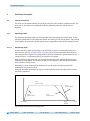
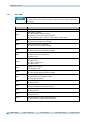
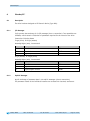
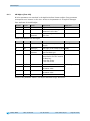
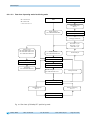
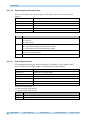
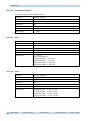
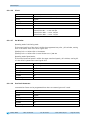
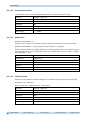
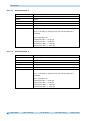
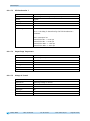
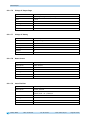
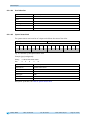
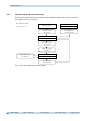
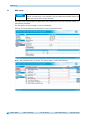
Functional description The status word indicates whether the actual position is within the window defined by parameter Pos Window (instance 1546). Upon reaching the programmed window via parameter Inpos Mode (instance 1558), you can define the behavior of the actuator. Travel range Lower limit Software Limit 2 (instance 1552) -10 +10 Software Limit 1 (instance 1551) Travel range Upper limit 0 - + Pos Window (instance 1546) Inpos Mode (instance 1558) Fig. 6: Positioning mode The max. travel range depends on transmission and scaling. The number of revolutions specified in the product data sheet must not be exceeded. 4.1.1.1.1 Loop positioning A travel order will not be executed if loop positioning would exceed the limiting values specified by parameters Software Limit 1 (instance 1551) and Software Limit 2 (instance 1552) although the setpoint is within the limiting values. If the actuator is operated on a spindle or an additional transmission, the spindle or external transmission backlash can be compensated by means of loop positioning. In this case, traveling to the target value is always from the same direction. This travel direction can be determined via parameter Pos Type (instance 1555). Loop length is set via parameter Loop Length (instance 1559). Example: The direction from which every target position shall be driven to is positive. Case 1 new position is greater than actual position: Direct travel to required position Case 2 new position is smaller than actual position: The actuator drives beyond the target position by the loop length; afterwards, the set point is approached in positive direction. AG25, AG26 Date: 11.08.2015 Art. No. 87613 Mod. status 305/15 Page 17 of 102