1
MapIt.Horowhenua
Contents
Contents .............................................................................................................. 2
1
Introduction ............................................................................................. 4
1.1
1.2
1.3
1.4
2
3
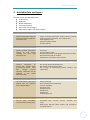
Available Data and Layers ........................................................................ 7
Website layout ......................................................................................... 8
3.1
3.2
3.3
3.4
4
Section 1 – Map view ...................................................................................... 8
Section 2 – Maps ............................................................................................. 8
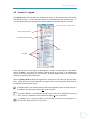
Section 3 – Legend .......................................................................................... 9
Section 4 – Toolbar........................................................................................ 10
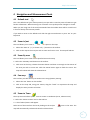
Navigation and Measurement Tools...................................................... 11
4.1
4.2
4.3
4.4
4.5
4.6
4.7
4.8
4.9
4.10
4.11
4.12
4.13
4.14
4.15
4.16
4.17
4.18
4.19
4.20
4.21
5
Default tool.................................................................................................... 11
Zoom in/out................................................................................................... 11
Zoom By area................................................................................................. 11
Pan map ......................................................................................................... 11
Zoom to Town ............................................................................................... 11
Query tool...................................................................................................... 12
Printing .......................................................................................................... 12
Select By Circle .............................................................................................. 12
Select by line ................................................................................................. 13
Select by polygon ....................................................................................... 14
Measure area ............................................................................................. 15
Measure distance ...................................................................................... 15
Fit map ....................................................................................................... 15
Refresh map ............................................................................................... 15
Reload Website .......................................................................................... 15
Help Guide ................................................................................................. 15
User Options .............................................................................................. 16
Set Map scale ............................................................................................. 16
View/Hide Legend...................................................................................... 17
Scale Bar .................................................................................................... 17
North Arrow ............................................................................................... 17
Search Options ....................................................................................... 18
5.1
5.2
5.3
5.4
5.5
5.6
6
7
Getting to MapIt.Horowhenua ........................................................................ 4
Initial install and compatibility ........................................................................ 4
About performance ......................................................................................... 5
Acknowledgement .......................................................................................... 6
Query tool: .................................................................................................... 18
Search by address.......................................................................................... 19
Search by legal description ........................................................................... 19
Search by road name..................................................................................... 20
Search by title ................................................................................................ 21
Search by VNZ number (assessment number) .............................................. 21
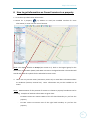
How to get information on Council services to a property ................... 23
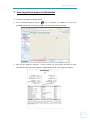
How to get basic property information ................................................. 25
2