1
Blackboard Academic Suite
User Manual
List View
C o l u mn
Descript ion
Date
Displays the date and time the thread was posted.
Status
Displays the status of the thread.
Tags
Displays any tags that have been applied to the thread. This is visible
only if tags have been enabled.
Unread Posts
Displays the number of unread posts in the thread. This number is a link
leads to a Collections page that contains all unread posts.
Total Posts
Displays the total number of posts in the thread.
Posts within the thread are viewed by clicking on the hyperlinked name of the thread in the
Thread column.
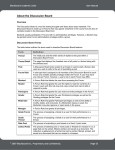
Action Bar
The functions at the top of the page include a Display option to show threads of different status
and a search function. Unread threads and posts are displayed in bold type. There is also an
action bar that includes the following functions:
©
F un ct io n
Which
View ?
Purpose
Add Thread
Both
Views
Click to add a thread.
Remove
Both
Views
Click to remove any selected threads from the
Forum.
Collect
Both
Views
Gather selected threads onto one page where
posts can be sorted, filtered, or printed.
Flag
Tree View
Mark a post for later attention.
Clear Flag
Tree View
Remove a flag applied to a post.
Mark Read
Both
Views
Click to mark selected messages as read.
Mark Unread
Both
Views
Click to mark selected messages as unread.
Subscribe/Unsubscribe
Both
Views
Click to subscribe or unsubscribe to the thread.
Grade Forum
Both
Views
Click to assign a Grade to a particular Forum
(Graders or Managers only).
This appears only if grading is enabled for this
Forum.
Change Status to:
List View
Update the availability status of the selected
threads.
2007 Blackboard Inc. Proprietary and Confidential.
Page 57