1
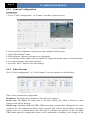
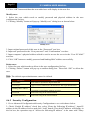
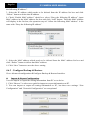
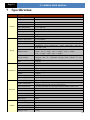
Page 16 IP CAMERA USER MANUAL 4.4 Alarm Configuration Alarm configuration includes six submenus: Motion Detection Area, Motion Detection Trigger, Motion Detection Schedule, Alarm Input Trigger, Alarm Input Schedule and Alarm Out. 4.4.1 Motion Detection Area 1. Go to “Alarm configuration” “Motion Detection Area” to see an interface as below. 2. Move the “Sensitivity” scroll bar to set up the motion trace sensitivity. 3. Check the “Add”, press the “Ctrl” button and move mouse to select the motion detection area. Select “Erase” and move the mouse to clear all motion detection area. 4. Press the “Save” button to save the settings. 4.4.2 Motion Detection Trigger 1. Go to “Alarm Configuration” “Motion Detection Trigger” to display an interface as shown below. 2. Check “Enable alarm” check box. Then motion based alarm is activated.