1
Modelmaker/Short User Manual
_____________________________________________________________________________________________________________________
5. Saving designs
In order to manage the storage of your own designs as you wish, the application provides you
with two private environments.
The designs from either of these two environments can be reused, downloaded, moved or used
however you require.
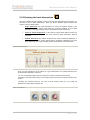
5.1 “Customers Designs” Directory
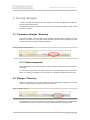
This space is used in much the same way as “Designs,” but allows you to organize your work
based on your clients. You can create, modify and erase clients in order to organize your work
in terms of the client for which it has been designed.
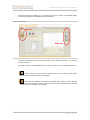
Figure 16: “Customers Designs” Directory
5.1.1 Client management
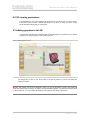
Client management is as simple as going to Clients’ Designs, Client Records, and clicking on
New Client.
You can fill in the information you need and click OK. Your private file then has a new client in
which you can save your designs. You can erase, edit or modify client information at any time.
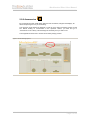
5.2 “Designs” Directory
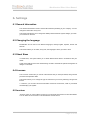
“Designs” is a space for you to create folders as required, name them, organize them or erase
them. It is a space where you organize your work as you wish.
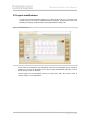
Figure 17: “Desings “ Directory
It is divided into two parts. In one section you can save the templates that you have designed,
while the other is for your accessories, thus giving a logical order to the storage system.
__________________________________________________________________________________________________________
Page 19 of 22