1
TABLE OF CONTENTS
Table of Contents
1.
Introduction .............................................................................................................................................. 6
1.1
Intended Use ...................................................................................................................................... 7
1.2
Safety Notes ....................................................................................................................................... 8
1.2.1
General Safety Notes ................................................................................................................. 8
1.2.2
Safety Notes on the Lithium-Ion Battery..................................................................................... 9
1.2.3
Safety Notes on the Docking Station/Battery Charger ............................................................. 10
1.2.4
Safety Notes on the Power Supply........................................................................................... 11
1.2.5
Safety Notes on the Laser ........................................................................................................ 11
1.2.6
Safety Notes on the Imager with Laser Aimer.......................................................................... 12
1.2.7
Safety Notes on the Imager with LED Aimer............................................................................ 12
1.2.8
Safety Notes for the Infrared Interface ..................................................................................... 12
1.2.9
Safety Notes on GSM/GPRS.................................................................................................... 13
1.2.10
Safety Notes on Wireless LAN ................................................................................................. 13
1.2.11
Safety Notes on Bluetooth........................................................................................................ 13
1.2.12
Safety Notes on Using RFID 134 kHz ...................................................................................... 14
1.2.13
Safety Notes on Using RFID 13.56 MHz.................................................................................. 14
1.2.14
Safety Notes on Using GPS ..................................................................................................... 14
1.2.15
Safety Notes on Data Loss....................................................................................................... 14
1.3
Disposal............................................................................................................................................ 14
1.4
Explanations on this Manual ............................................................................................................ 15
1.4.1
Note Pictograms ....................................................................................................................... 15
1.4.2
Registered Trademark.............................................................................................................. 16
2.
The skeye.allegro ................................................................................................................................... 17
2.1
Variants ............................................................................................................................................ 17
2.2
Accessory......................................................................................................................................... 17
2.3
Docking Stations .............................................................................................................................. 17
2.4
Options ............................................................................................................................................. 17
2.5
Views ................................................................................................................................................ 18
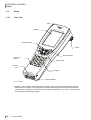
2.5.1
Front View................................................................................................................................. 18
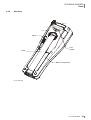
2.5.2
Rear View ................................................................................................................................. 19
2.5.3
Variants..................................................................................................................................... 20
3.
Initial Steps ............................................................................................................................................. 21
3.1
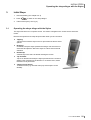
Operating the skeye.allegro with the Stylus ..................................................................................... 21
3.2
Using the Navigation Key ................................................................................................................. 22
3.3
Microsoft Windows CE – Basics ...................................................................................................... 22
3.3.1
Start Screen.............................................................................................................................. 22
3.3.2
Desktop Symbols...................................................................................................................... 23
3.3.3
Start Menu ................................................................................................................................ 23
3.3.4
Taskbar..................................................................................................................................... 24
3.3.5
Right Mouse Button Function ................................................................................................... 24
3.3.6
Storing further Symbols on the Desktop................................................................................... 25
3.3.7
Showing/Hiding the Keyboard .................................................................................................. 26
3.3.8
Setting the Properties of the Input Panel (Keyboard)............................................................... 26
3.3.9
Regional/Language Settings .................................................................................................... 28
3.3.10
Setting Date and Time.............................................................................................................. 29
3.3.11
Setting Volume and Sounds ..................................................................................................... 30
3.3.12
Entering Owner Properties ....................................................................................................... 31
3.4
Switching Off the skeye.allegro ........................................................................................................ 32
3.4.1
Suspend Mode ......................................................................................................................... 32
3.4.2
Automatic Standby – Power Supply ......................................................................................... 32
3.4.3
Complete Power Off by Removing the Battery......................................................................... 34
4.
Further Functions and Settings............................................................................................................ 35
4.1
Display.............................................................................................................................................. 35
4.1.1
Calibrating the Touch Screen ................................................................................................... 35
4.1.2
Setting the Brightness .............................................................................................................. 37
1.0 • 18.12.2009
3