1
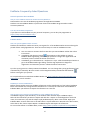
Inhoud
EndNote X7: introduction .................................................................................................................................... 1
Endnote Desktop and Endnote Online ..................................................................................................... 1
Access to EndNote ...................................................................................................................................... 1
Sharing references ...................................................................................................................................... 1
Make a backup of your library .................................................................................................................... 1
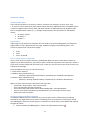
Part I ....................................................................................................................................................................... 3
2. Creating a library .............................................................................................................................................. 3
3. Direct Import ..................................................................................................................................................... 3
Project Muse................................................................................................................................................. 3
Google Scholar ............................................................................................................................................ 4
Web of Science ............................................................................................................................................ 4
4. Importing references from databases using text files: PiCarta ................................................................. 5
5. Create a new reference manually ................................................................................................................. 6
6. How to handle PDFs? ..................................................................................................................................... 7
If you like to, you can let Endnote rename your PDF’s automatically the moment you upload them
to a reference in your EndNote library. To use this option, go to the EndNote Menu: Edit >
Preferences > PDF handling. Choose your settings for PDF automatic renaming options. This is
also the place where you can select a ‘watch folder’ (see option 4 of Various ways of linking
PDFs). ........................................................................................................................................................... 7
Add a PDF file to a reference .................................................................................................................... 7
Check the EndNote Settings ...................................................................................................................... 7
Various ways of linking PDF’s ................................................................................................................... 8
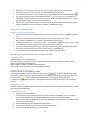
7. Managing your EndNote library ..................................................................................................................... 9
Sorting, Finding and Viewing references ................................................................................................. 9
Searching for references ............................................................................................................................ 9
Checking for duplicates .............................................................................................................................. 9
Insert keywords, notes and research notes ........................................................................................... 10
Organise your references by creating groups ....................................................................................... 11
Part II .................................................................................................................................................................... 12
7. EndNote & Word or “Cite While You Write” ............................................................................................... 12
Output Styles .............................................................................................................................................. 12
Word and the EndNote Tab ..................................................................................................................... 12
Inserting citations ....................................................................................................................................... 12
In-text citations ........................................................................................................................................... 12
Creating footnotes ..................................................................................................................................... 12
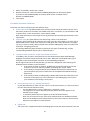
8. Formatting a bibliography ............................................................................................................................. 13
Change the formatting style ..................................................................................................................... 13
Editing citations .......................................................................................................................................... 14
Removing a citation ................................................................................................................................... 14
Modifying a citation .................................................................................................................................... 14
Edit Library reference(s) ........................................................................................................................... 14
Remove field codes ................................................................................................................................... 14