1
Contents
Contents
1
2
2.1
3
4
4.1
5
6
6.1
6.2
6.3
6.4
Introduction
Getting Started
Quick Start
Overview
Your VS-88HD 8x8 HD-SDI Matrix Switcher
Using the IR Transmitter
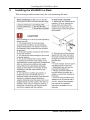
Installing the VS-88HD in a Rack
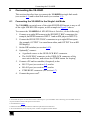
Connecting the VS-88HD
Connecting the VS-88HD in the Single Link Mode
Connecting the VS-88HD in the Dual Link Mode
Setting the Working Mode
Connecting the RS-232 Port
1
1
2
3
4
7
8
9
9
11
13
13
Connecting a PC or Controller to the RS-485 Port
15
Switching Genlocked Video Signals
Connecting the Ethernet Port
16
16
6.8
6.9
6.10
7
7.1
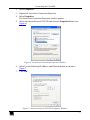
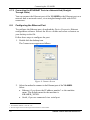
Configuring the Ethernet Port
Controlling via the Ethernet Port
Using the Ethernet Reset Button
Operating the VS-88HD
Operating the VS-88HD from the Front Panel
18
19
19
20
20
7.2
7.3
8
9
Using Serial Commands
Using the Infrared Remote Controller
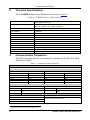
Technical Specifications
Communication Parameters
23
23
24
24
6.4.1
6.4.2
6.5
6.5.1
6.5.2
6.6
6.7
6.7.1
6.7.2
7.1.1
7.1.2
7.1.3
7.1.4
7.1.5
7.1.6
7.1.7
7.1.8
7.1.9
7.1.10
Determining the Machine Number
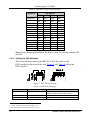
Setting the DIP-Switches
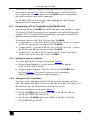
Setting the Address Switches
Setting the Line Termination
13
14
15
15
Connecting the ETHERNET Port Directly to a PC (Crossover Cable)
16
Connecting the ETHERNET Port via a Network Hub (Straight-Through Cable) 18
Power On Display
Using the AT ONCE and CONFIRM Modes
Switching in the AT ONCE Mode
Toggling Between Modes
Switching in the CONFIRM Mode
Storing an Input/Output Configuration
Recalling an Input/Output Configuration
Locking the Front Panel
Switching Protocols
Indicating Errors
20
20
20
21
21
21
22
22
22
23
i